Start from what you already have
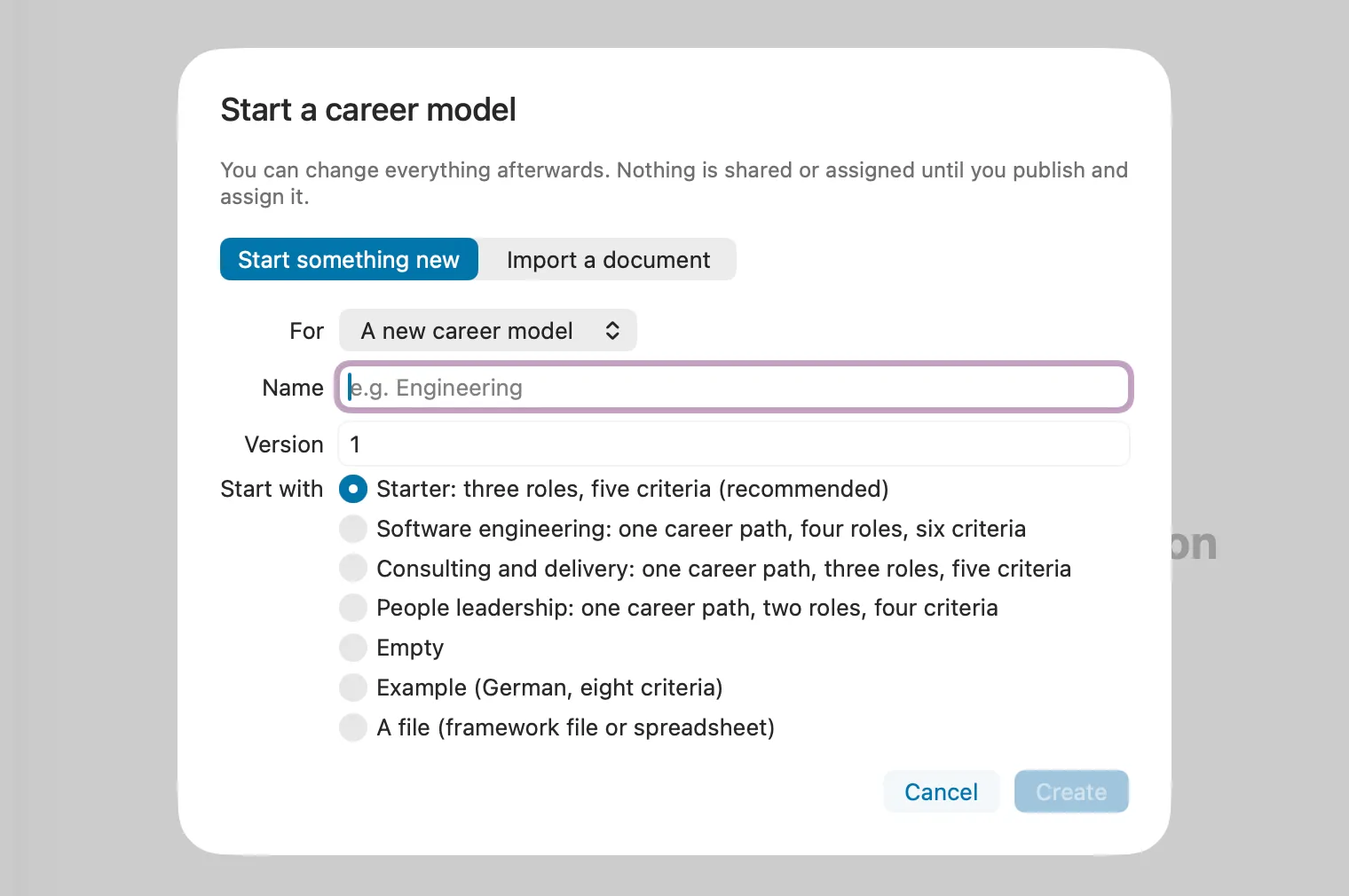
You do not need to design a framework before your first development conversation. Pick the starting point that matches what exists today, and change it later.
- Empty, or a small starter with three roles and five criteria.
- A company-neutral template: software engineering (Junior Engineer to Staff Engineer), consulting and delivery, or people leadership.
- A file: a CSV spreadsheet (a spreadsheet template is included) or a framework file.
- Your company’s document: the pages you choose are read on your Mac. Letting an AI recognise the structure is an optional beta; before any text goes to an internet provider, you confirm it for that document. You check every imported item and uncertain match before publishing.
Shape it to how your company talks
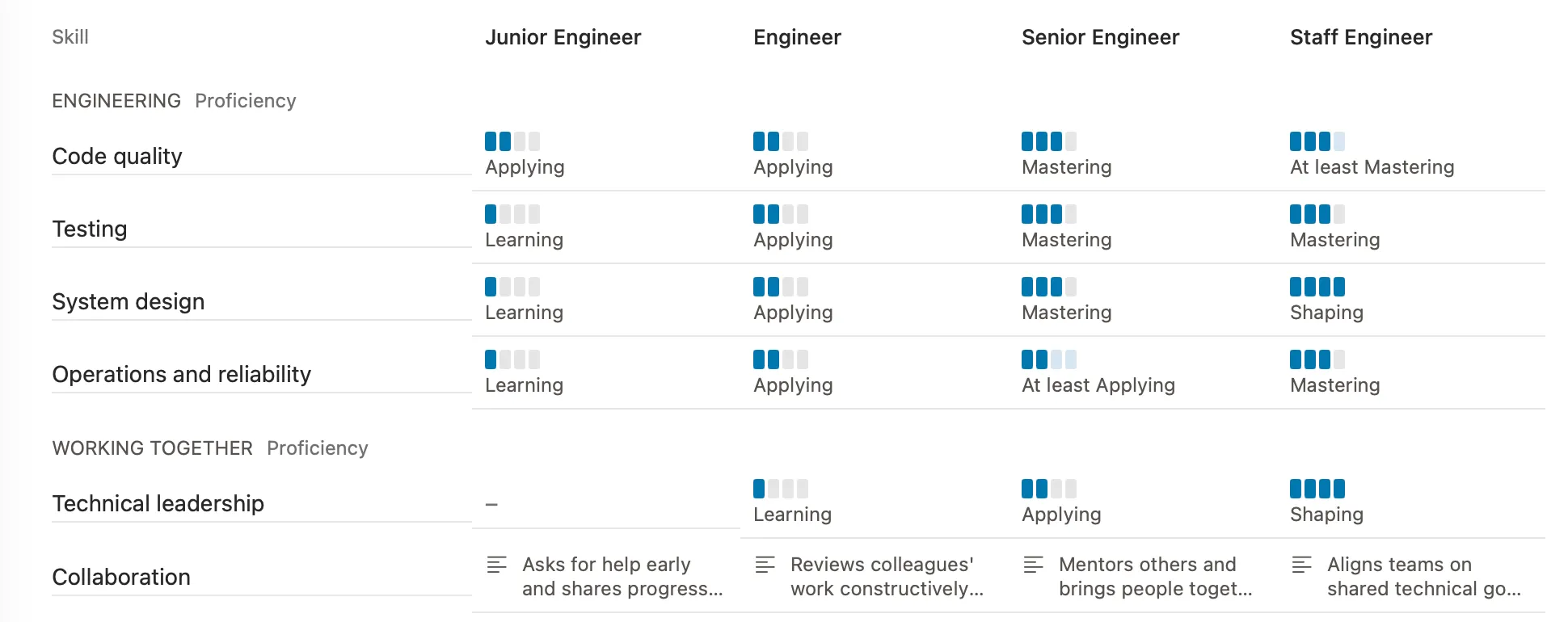
Career models differ more than most tools assume. In Peoplelane a criterion can have stages, or be described in words only, for things like collaboration that are hard to put on a scale. A model can use more than one scale, and an expectation can stay “not decided yet” until you know what you want to say.
Larger models can group roles into career paths with shared responsibilities, and into grades with shared expectations. If several roles repeat the same text, Peoplelane suggests keeping it once; that check runs on your Mac.
Fit it to the person, not the other way round
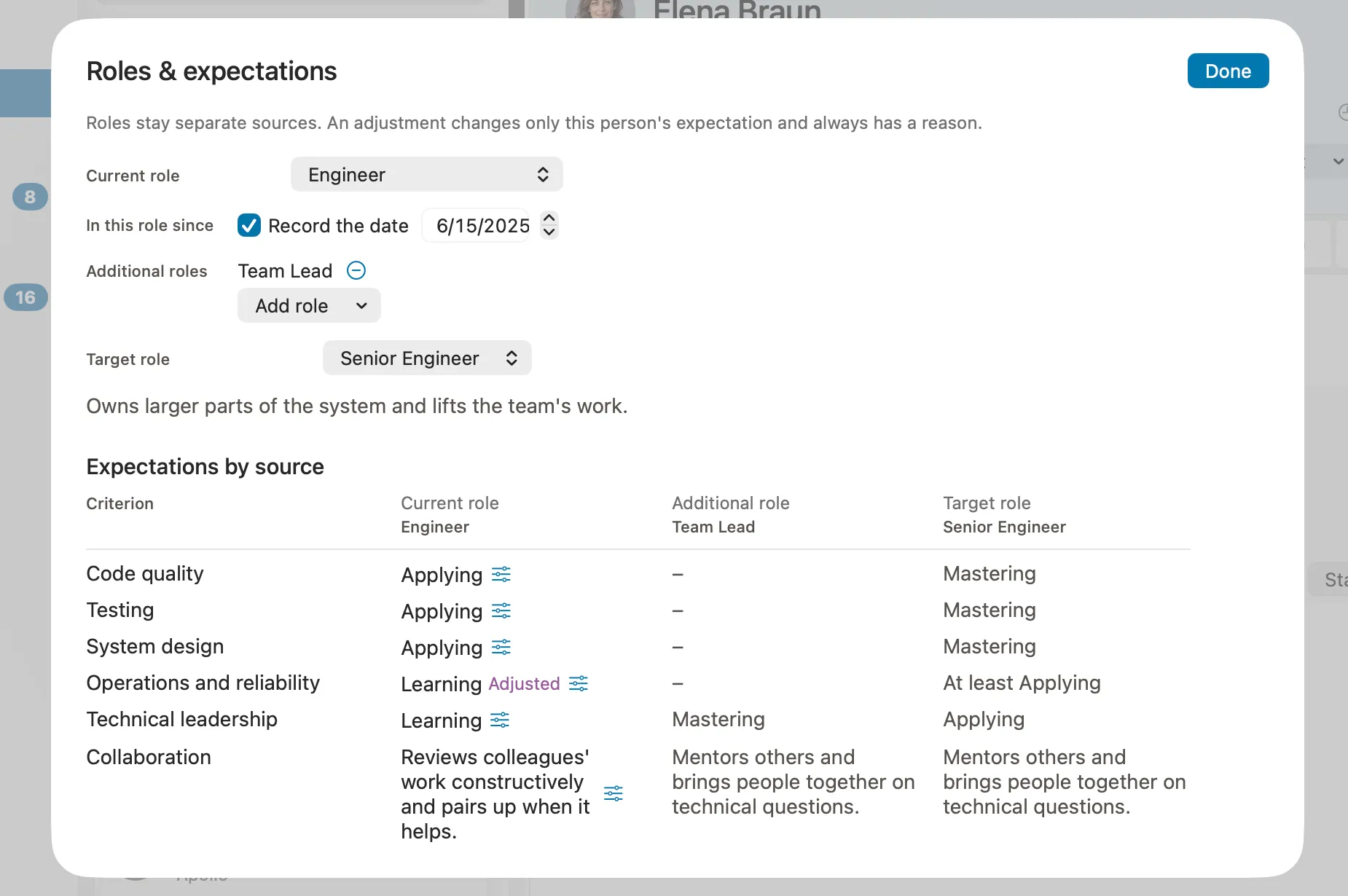
People rarely match a role description exactly. In Peoplelane each person gets their current role and, where it applies, further roles they hold, such as running a community of practice. Their expectations count in the conversation just like those of the current role.
A target role shows what would change on the way there: what is new, what is expected at a higher stage, and where the emphasis simply differs. A lower expectation in the target role is shown as a different emphasis, not as permission to get worse.
When an expectation does not fit a person, adjust it for them alone, with a reason and the date you set it. In the shared conversation the adjustment is marked, but your reason is not shown. If roles do not fit at all, give the person individual expectations, or none.
Let the model change without losing history
Models are versioned: you work on a draft and publish it when it is ready. When your company releases a new edition, it becomes your next draft. Elements keep their identity, nothing is removed until you remove it, and the preview shows on your Mac who currently holds a role that would disappear.
Every coaching conversation keeps the expectations that applied when it started. Earlier conversations therefore stay readable and linked, even after the model has moved on.
What stays the same
However you set it up, the model is a basis for conversation, not an assessment tool.
- Expectations appear as context, never as a verdict on the person.
- Rating is off by default for every topic; you can discuss expectations, observations and examples without choosing a stage.
- The model, its versions and every assignment stay in Peoplelane’s workspace on your Mac. AI is optional and only used when you start it.
- Creating, publishing and assigning career models is part of Peoplelane Pro.
How a coaching conversation works in Peoplelane · Compare Free and Pro
Keep the context for your next 1:1
Peoplelane is a private Mac workspace for conversation history, open follow-ups and development goals.
Notify me at launch