1. Prepare in private
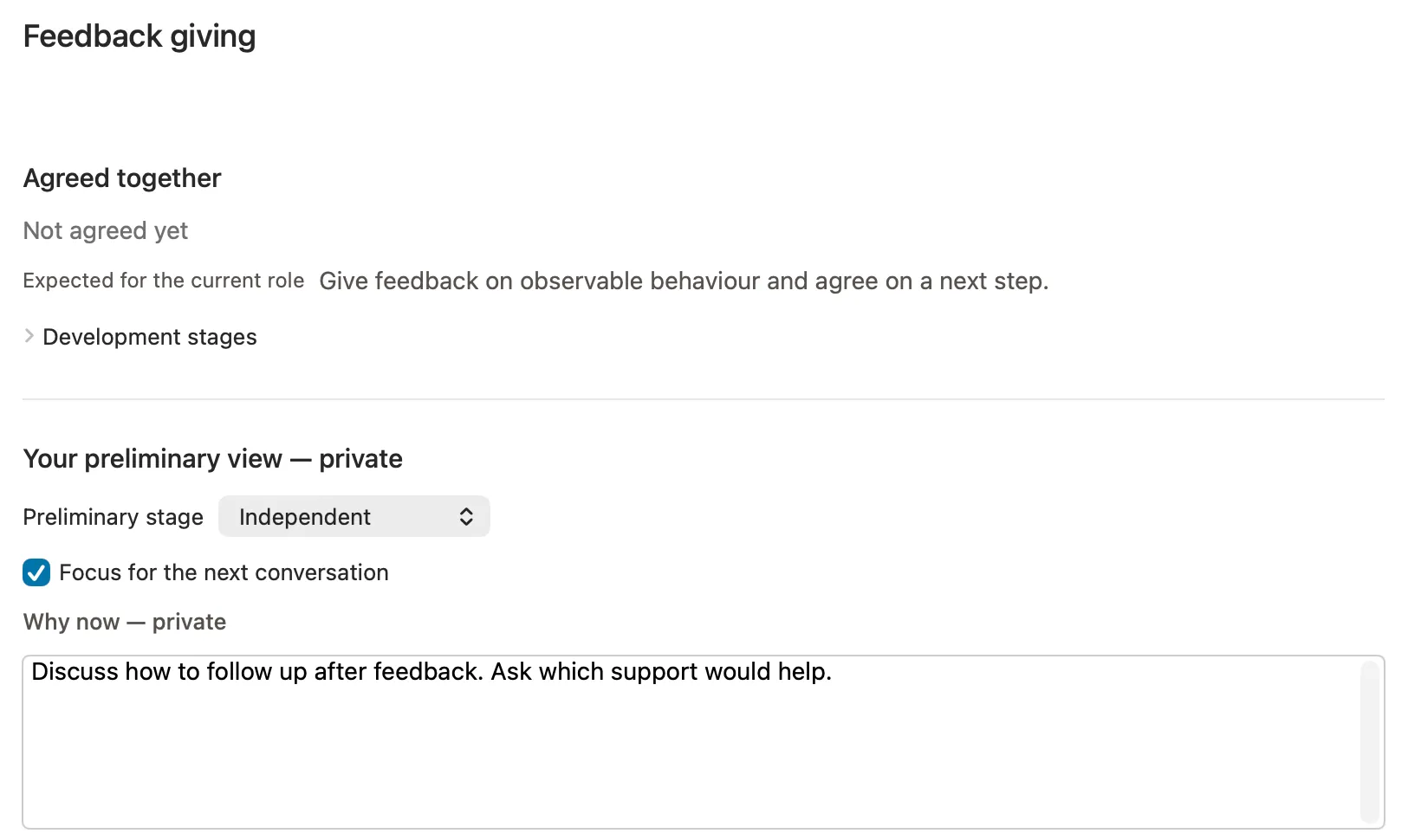
Pick the topic you want to talk about and note why it matters now. Collect observations and examples as you notice them. If you like, record your own preliminary view of the stage. All of this stays in your private workspace.
An example only becomes shareable when you prepare an excerpt of it for sharing. You decide what that excerpt says, and whether it is shared with or without a name.
2. Share deliberately
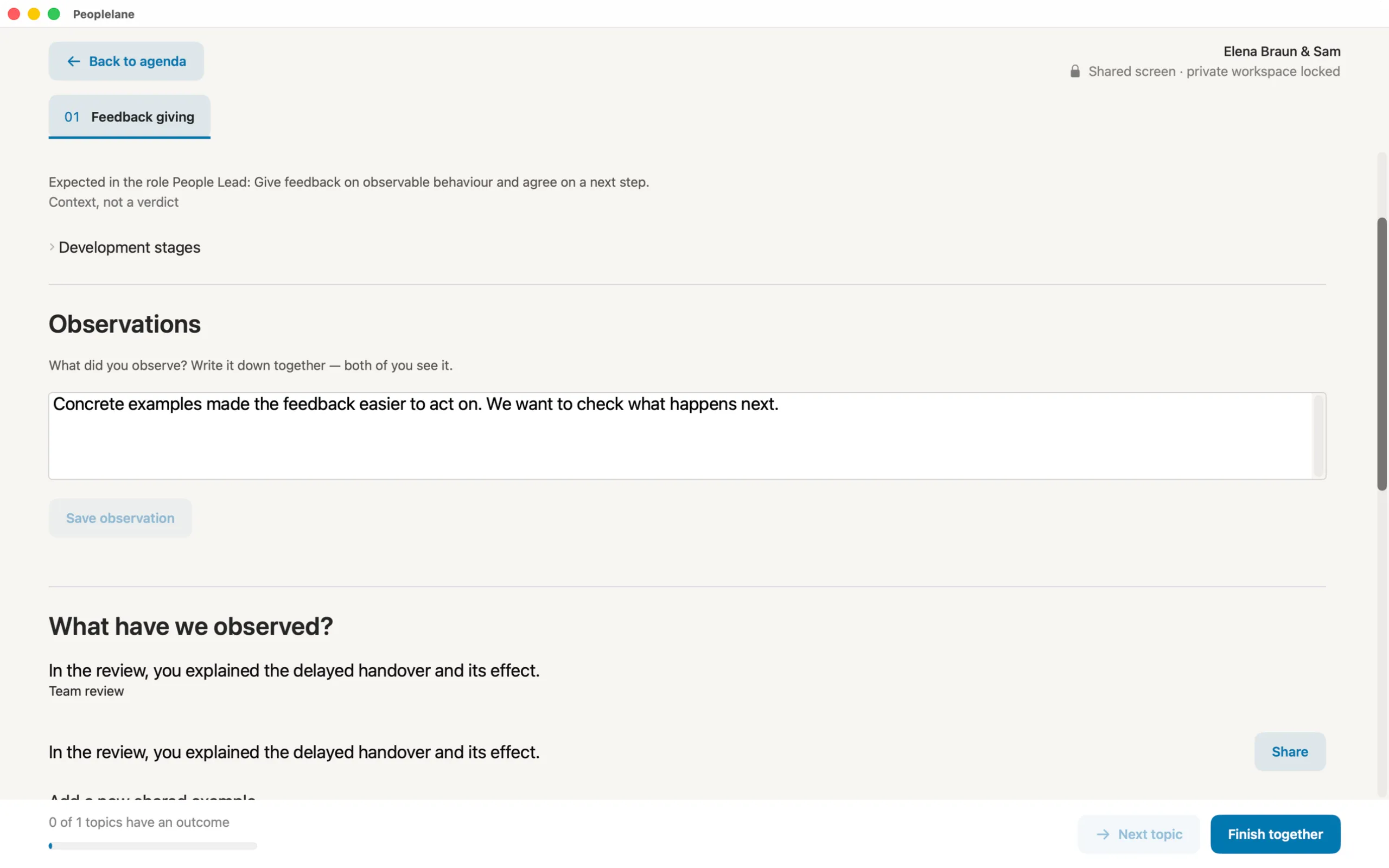
The conversation itself takes place on one Mac, in a separate shared screen. While it is open, your private workspace is locked. The shared screen shows the topic, the expectation and the excerpts you prepared, and an excerpt only enters the conversation when you share it.
Neither person needs their own copy of Peoplelane for this. Leaving the shared screen locks the app; your private workspace opens again only after you authenticate.
3. Compare your views, if you want to
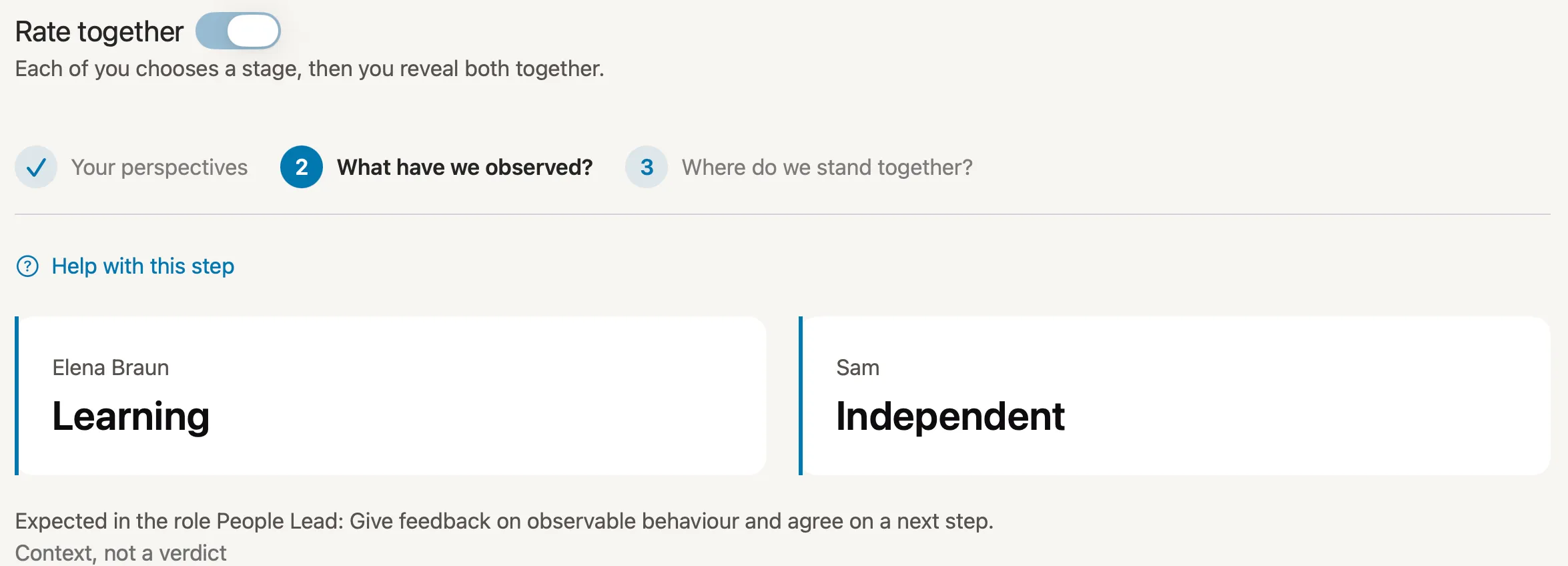
For a topic with stages you can switch on “Rate together”. The person you lead chooses a stage first. Your own view comes from your preparation, or you enter it after their answer is in. Neither answer is shown before you reveal both together.
What matters is not who is right, but the difference. “Learning” next to “Independent” is a good starting point: what did each of you see? After the reveal the expectation appears underneath. Without rating, you discuss expectations, observations and examples in the same way and simply skip the stage.
4. Agree on next steps
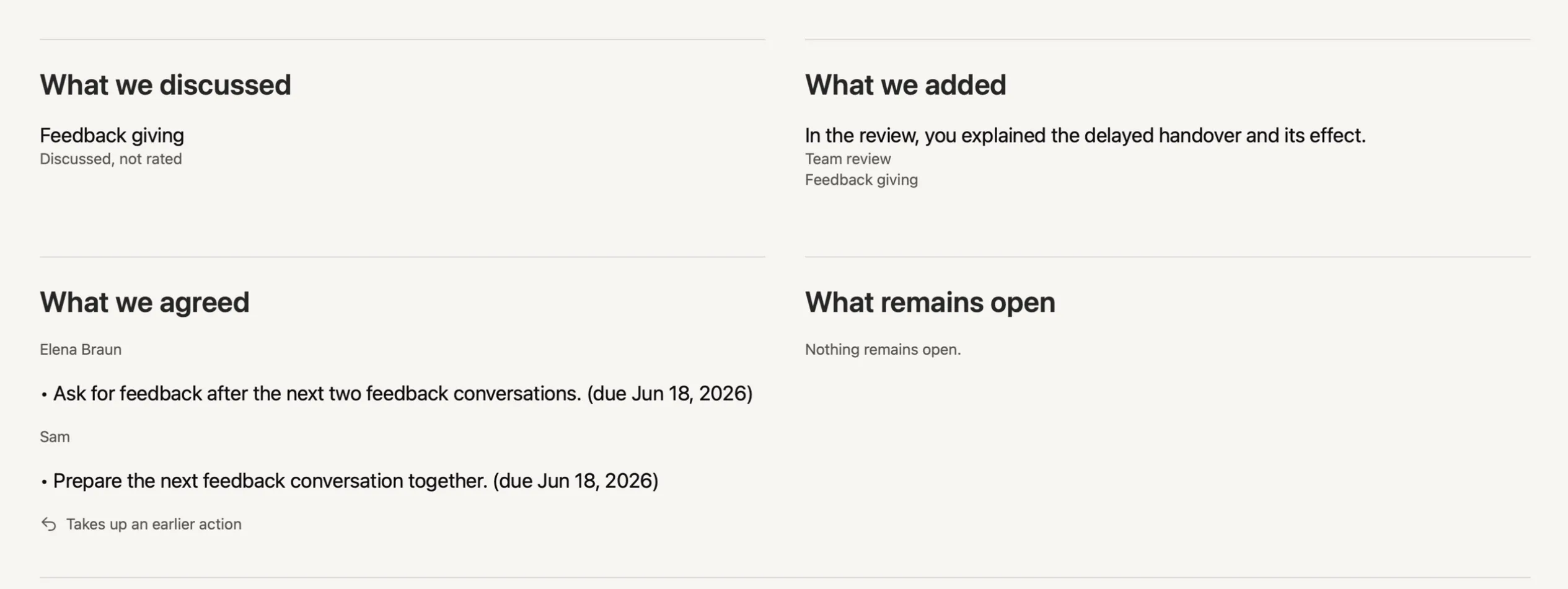
Write down what you observed together and agree on concrete actions, each with an owner and a due date. Before you finish, the review shows what you discussed, what you added, what you agreed and what remains open. You can still go back to a topic to make corrections.
Finalising creates a follow-up for every agreed action and a development-talk entry in the person’s history. You can export the shared recap as a PDF if both of you want to keep it.
What stays private
The boundary between your preparation and the shared conversation is built into the app, not left to discipline.
- Your preparation notes and unshared observations never appear on the shared screen.
- The recap PDF contains only what was discussed, shared and agreed in the conversation.
- When the conversation is finalised, your preliminary stage view is removed for every topic you revealed together.
- Everything stays in Peoplelane’s workspace on your Mac. AI is not needed for any of these steps.
What you need
Coaching preparation, shared coaching conversations and career models are part of Peoplelane Pro. Peoplelane runs on Macs with macOS 15.6 or newer.
Keep the context for your next 1:1
Peoplelane is a private Mac workspace for conversation history, open follow-ups and development goals.
Notify me at launch