A note you can actually use next time
Fictional example: “Maya wants to practise facilitating planning. I will check the course budget by Friday.” Keep that sentence in the dated conversation record. Create a separate follow-up for yourself: “Check course budget — Friday.” At the next 1:1, report what happened before introducing a new topic.
Start with the job the notes need to do
The point of 1:1 notes is not to produce a perfect transcript. They should help you remember what matters, honour commitments and notice changes over time. A short note that you can find and act on is more useful than a detailed record that disappears into a folder.
Before choosing a tool, decide what you need to retrieve. For most managers that means the last conversation, outstanding commitments, recurring topics, current development goals and sensitive context that should not be shared broadly.
Use one home per person
Create a stable home for every person you support. Avoid a folder per month or a new document for every meeting. Those structures mirror the calendar, but they make it harder to see a relationship over time.
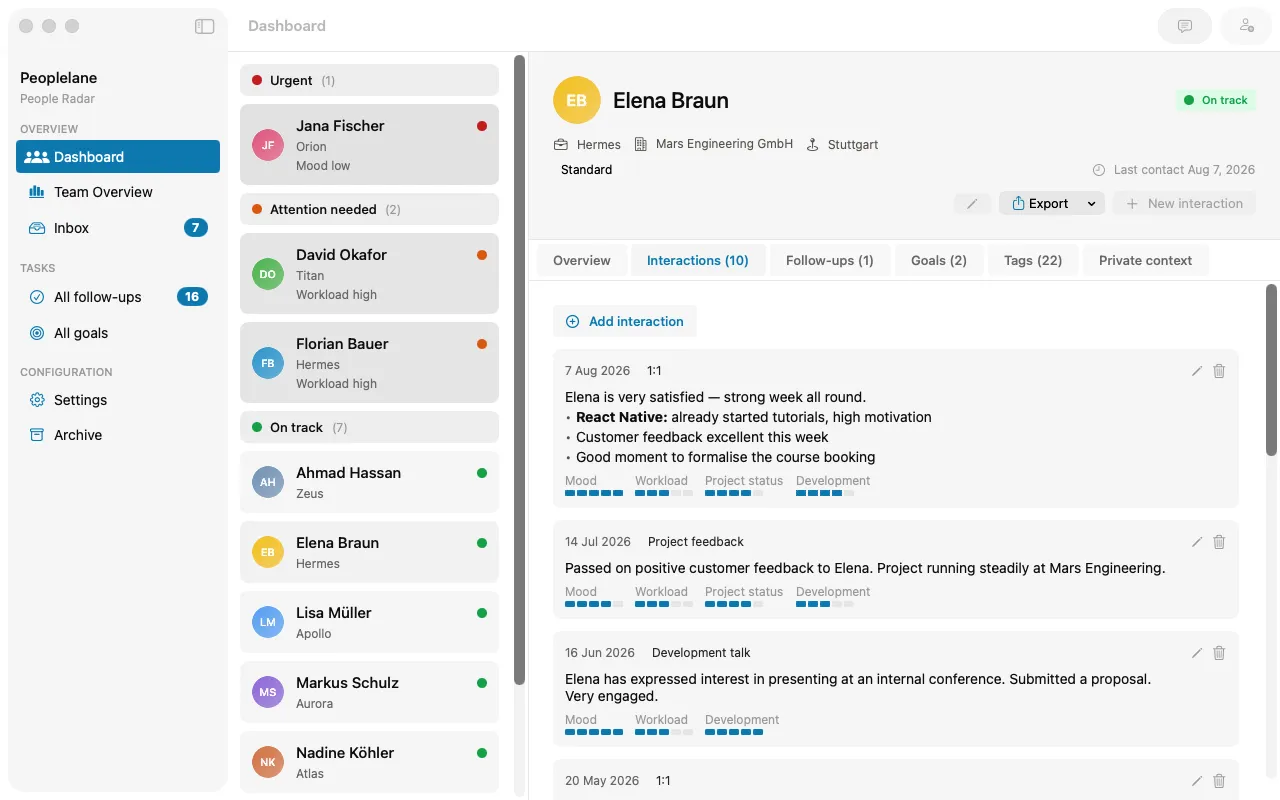
Inside each person’s record, keep conversations in chronological order. Give every entry a date and a clear type, such as 1:1, project feedback, development conversation or informal check-in. Consistent labels make scanning easier without forcing every meeting into the same template.
- One person, one long-term record
- One dated entry for each meaningful conversation
- A small set of conversation types that you use consistently
- A separate view of open commitments and reminders
Separate the conversation from the work it creates
A conversation note is history. A follow-up is work that still needs attention. Mixing both in a paragraph makes commitments easy to miss because you must reread old notes to find them. A proactive workspace can go one step further by highlighting overdue work and the people who need attention now.
Record the conversation in your own words, then extract each commitment into an open-item list. Include who owns it and when you expect to revisit it. When the work is done, close the item without deleting the original context. This preserves the story and keeps the active list short.
Keep development goals above the meeting level
Development goals usually span many conversations. Store them with the person, not inside a single meeting note. Link relevant observations or commitments back to the goal when that helps, but keep the goal itself visible between meetings.
Write goals as an outcome and a current next step. “Become more strategic” is hard to use. “Lead the technical planning for the next cross-team project, starting by drafting the decision brief” gives both of you something concrete to revisit.
Use a light routine before and after each 1:1
Five minutes before the meeting, read the most recent note and scan open items and goals. After the meeting, spend another few minutes turning rough notes into a clear summary and capturing new commitments. This small closing step prevents an inbox of half-finished notes.
Do not over-template. A few prompts can help, but a rigid form often pulls attention away from what the person actually wants to discuss. Start with free notes and add structure only where it improves retrieval.
- Before: review the last conversation, open items and goals
- During: capture decisions, signals and exact commitments
- After: clarify the note, create follow-ups and set the next review point
Choose a tool that matches the sensitivity of the record
A shared workspace can be excellent when agendas and decisions should be collaborative. Private manager notes have a different risk profile. Check who administers the account, where the data is stored, how offline access works and what happens when you leave the organisation.
Peoplelane is designed around a private record on one leader’s Mac. A configurable workspace such as Notion is a stronger fit when you want shared agendas, team templates and broad collaboration. The right choice depends on whether the record belongs to the relationship, the individual leader or the organisation.
Keep the context for your next 1:1
Peoplelane is a private Mac workspace for conversation history, open follow-ups and development goals.
Notify me at launch