For People Leads & Engineering Managers
Everything from your last 1:1, ready before the next one.
Peoplelane keeps conversation notes, open follow-ups and development goals together in a local workspace on your Mac. There is no built-in employer or HR admin view.
Not yet available on the Mac App Store. Get an email when it launches.
- Stored on your Mac
- Works offline
- AI optional
Keep the thread between conversations
-
Walk in prepared
Every note, topic and open point for one person, in one place. No hunting through four tools five minutes before the meeting.
-
Know who needs attention
Peoplelane highlights overdue follow-ups, due syncs and people who need care, so urgent work does not disappear inside a list.
-
Your notes stay yours
The workspace is stored locally on your Mac. It does not require a company account or provide a built-in admin view.
Before your next 1:1, remember what you promised.
An example with fictional details. Start with your own commitment, then make room for the other person’s agenda.
-
Last conversation
Maya wants to take a facilitation course. You promise to check the budget before your next 1:1.
-
Before you meet again
Open Maya’s record and review the outstanding follow-up: check the course budget. Prepare an answer, even if it is still pending.
-
Next conversation
Share what you found, ask what matters to Maya today, and agree on the next step. Keep the old note as context.
Peoplelane connects the conversation record with the work that follows.
A look inside the app
Five views from the app in development.
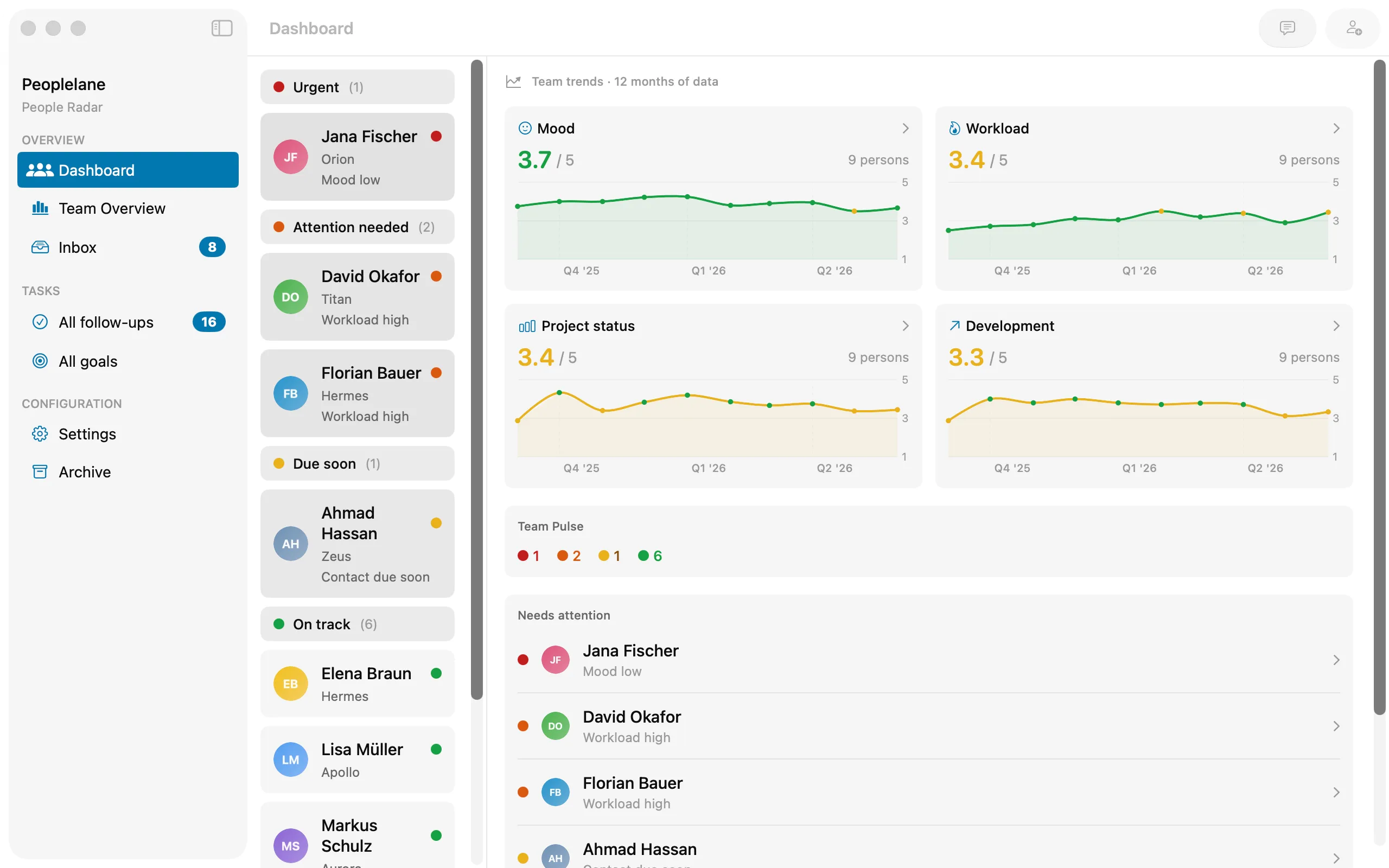
Who needs attention right now, and how the team has been trending.
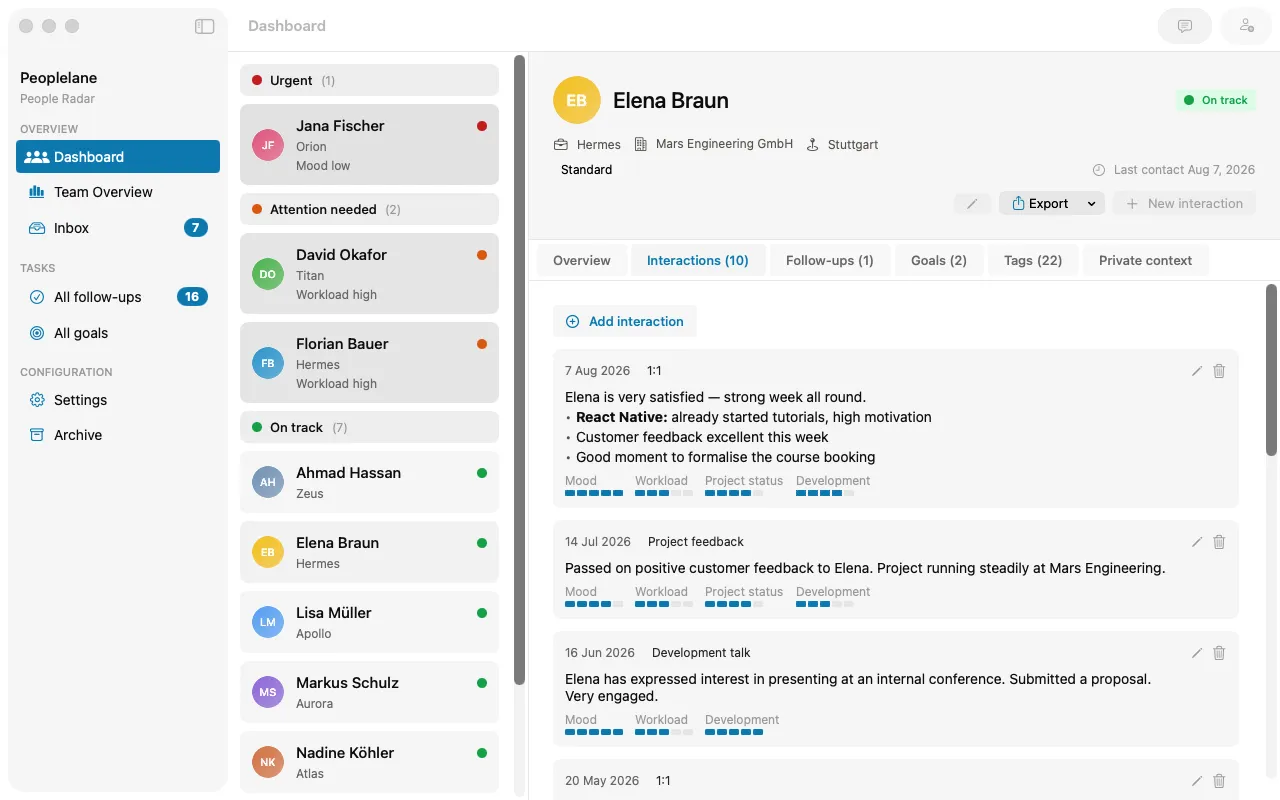
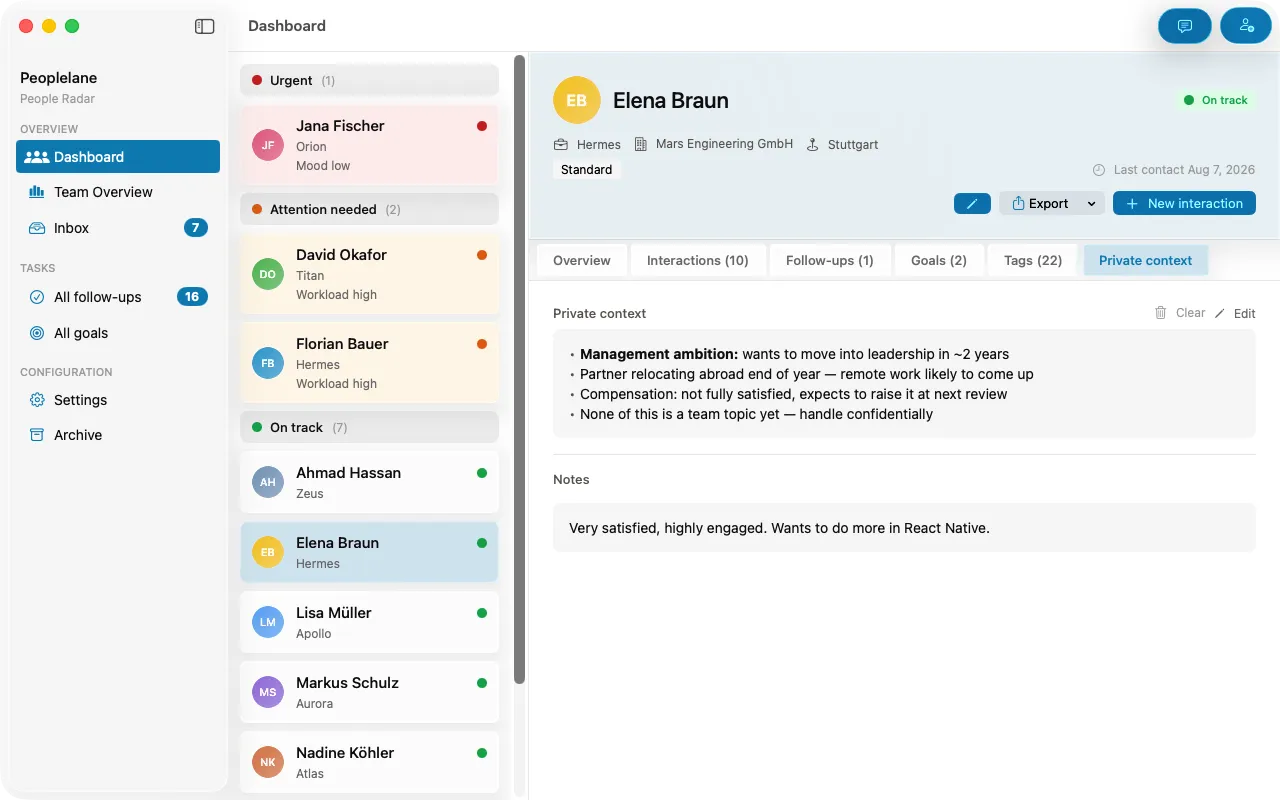
Switch between overview, history, goals and private context for one person.
Every interaction in order, labelled by type.
A rough note becomes a structured entry.
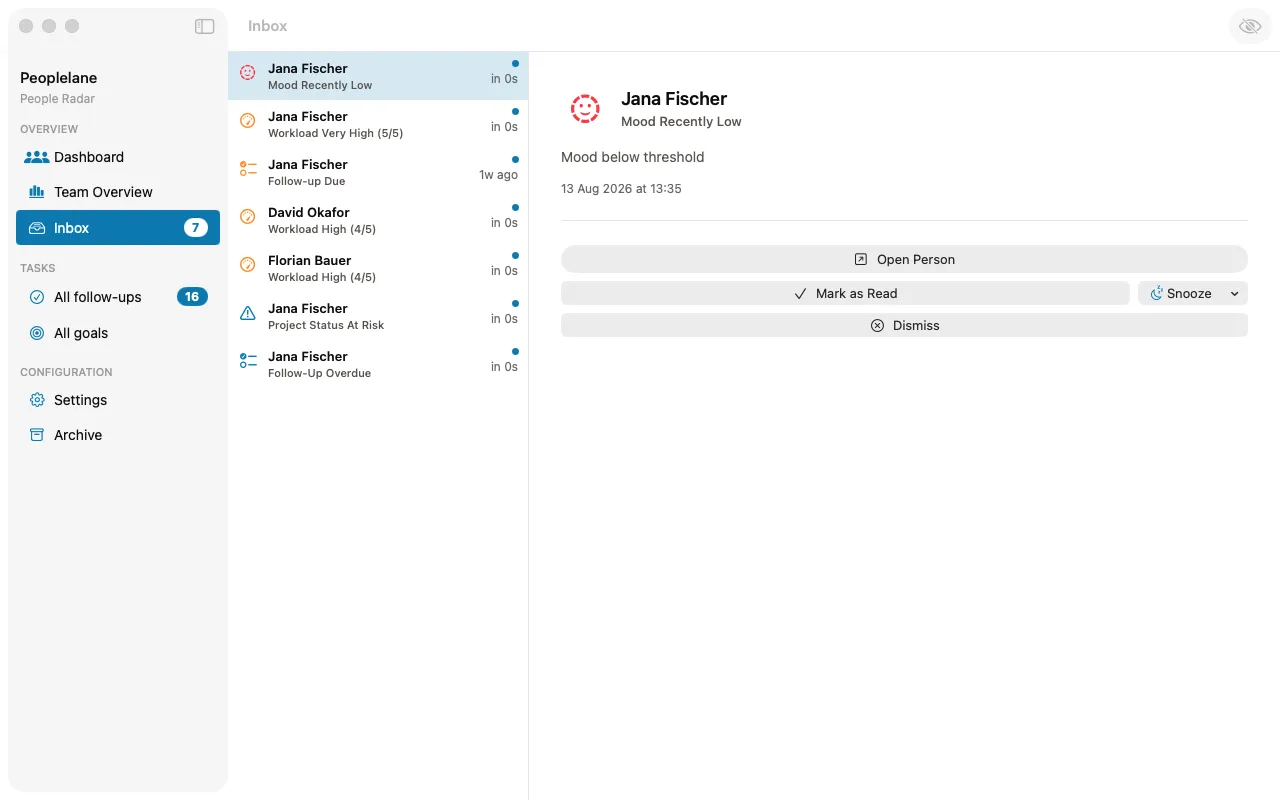
Open follow-ups and reminders across everyone you lead.
Your data stays with you
The most sensitive thing a leader keeps is what people share in confidence. Peoplelane is built so that this never has to leave your machine.
-
Stored on your Mac
Your notes live in a file on your own device, not in a Peoplelane cloud.
-
Local workspace
Your notes workspace is stored in a file on your Mac rather than in a Peoplelane-hosted notes database.
-
No built-in employer admin view
The product does not include an employer admin view or an organisation-wide report of your notes.
-
Works offline
Notes, search, history and follow-ups need no connection at all.
AI is optional
Every core function works without it. If you turn it on, you decide which provider handles your text.
-
Local by default
Apple Intelligence runs on-device on every supported Mac, with no account, no key and nothing sent anywhere.
-
Your provider, your key
Prefer a stronger model? Add your own API key for OpenAI, Anthropic or any OpenAI-compatible endpoint, including local models.
-
You review before saving
AI only ever produces a draft. Nothing is written to your data until you accept it.
These points describe how the Peoplelane app handles your notes. This website itself uses privacy-friendly analytics and a launch notification form — see our Privacy Policy for details.
Who Peoplelane is for
Made for
- People Leads
- Engineering Managers
- Team Leads
- Mentors
- Coaches
- Anyone holding regular 1:1s
Not made for
- An HR system
- A central personnel file
- A monitoring tool
- Organisation-wide performance reviews
Peoplelane belongs to one leader, not to a company.
Why I’m building Peoplelane
OneNote kept my notes. I still lost the thread.
I started building Peoplelane because my notes in OneNote weren’t giving me the overview I needed. I could write down what we discussed, but I still had to work out which conversation was due and what I had promised to follow up on.
I wanted a tool that would actively remind me when agreed dates or deadlines were approaching, and flag when someone was slipping out of view. It should connect each person with our conversations and next steps, and take administrative work off my hands. That is why I started Peoplelane: to spend less time tracking and organising, and more time talking with the people I lead.
Oliver Gepp · Creator of Peoplelane
Questions and answers
Peoplelane is not available to download yet. I’m waiting for Apple to activate my developer account. There is no confirmed release date; account activation is a separate step from app approval. Sign up and I’ll email you the Mac App Store link when it is available.
Peoplelane is made for an individual leader, not a personnel department. The product has no built-in employer dashboard or admin view for the local workspace. Access to a company-managed Mac, backups or other device controls remains a separate matter.
In a file on your own Mac, not in a central Peoplelane database. Notes, search, history and follow-ups all work without an internet connection.
AI is entirely optional; every core function works without it. Apple Intelligence runs on-device by default, with no account or key needed. If you prefer a stronger model, add your own key for OpenAI, Anthropic or any OpenAI-compatible endpoint, including local models.
Macs with Apple Silicon running macOS 15 or newer.
Free for up to three people in your workspace; beyond that it's CHF 9 per month or CHF 90 per year, with price and currency depending on your region. If you end your subscription, your notes stay on your Mac and remain readable, and Peoplelane returns to the free scope of three people.
You can export an individual person's record as a document. Your data also sits in a file on your own Mac at all times.
Notify me at launch
Not yet available on the Mac App Store. Get an email when it launches.
- Requires macOS 15 or newer on Apple Silicon