One promise, five tools
Fictional example: in a 1:1, Maya asks whether she can lead the next planning session. You say yes and promise to check the budget for a facilitation course. Afterwards the context is spread out: the course link sits in a Slack DM, the planning ticket is in Jira, a calendar invite says “Maya 1:1” with no notes, your rough notes are in a doc, and her development goal lives in the HR platform. Three weeks later Maya asks about the course, and you have to search all five places to reconstruct what you said.
None of those tools is wrong. Each is the right home for something. What is missing is a single place that holds the relationship: what you discussed with Maya, what you promised and what she is working towards.
Why tool sprawl hits the people layer hardest
Engineering work already has clear systems of record. Tickets live in the issue tracker, code in the repository, incidents in the incident tool. Information about people rarely gets the same treatment. It arrives as a remark in a stand-up, a DM, a comment in a review or a sentence in a 1:1, and it stays wherever it happened to land.
The cost shows up in the moments that matter most for trust: a forgotten commitment, a career conversation you cannot reconstruct, a performance review written from memory of the last two weeks. Adding another team-wide tool does not fix this. Deciding where each kind of information belongs does.
Step 1: Inventory where people information lives
Spend twenty minutes listing every place where you currently keep anything about the people you lead. Be honest about the informal ones; sticky notes and Slack messages to yourself count. For each place, note what kind of information is there and who else can see it.
- Issue tracker: work assignments, delivery, sometimes feedback in comments
- Chat: quick requests, praise, concerns raised in DMs, links you meant to keep
- Calendar: 1:1 cadence and, often, notes in the event description
- Shared docs: 1:1 agendas, decision records, project retrospectives
- HR platform: formal goals, review cycles, compensation, absence
- Personal notes: everything else, in whatever app was open at the time
Step 2: Decide one system of record per kind of information
Consolidation does not mean moving everything into one app. It means each kind of information has exactly one authoritative home, and everything else at most links to it. Write the decision down, even as a short list, so you stop re-deciding it every week.
The key split is between information that belongs to the team or the organisation and information that belongs to your leadership practice. Team work stays in the tools the team already uses. Formal processes stay in the HR platform your organisation has defined. Your own working notes about each person, your commitments to them and the history of your conversations need a private home that you control.
- Work to be done by the team → issue tracker
- Shared agendas and decisions made together → a shared doc
- Formal reviews, ratings and records → the HR platform
- Meeting times → calendar, without the notes
- 1:1 history, your commitments, development context → one private people record
Step 3: Use one capture point, not one inbox for everything
Much of the appeal of a “unified inbox for engineering managers” is the wish to stop losing small things. You do not need every notification in one feed to achieve that. You need one place where you drop people-related thoughts the moment they occur, so they do not stay buried in chat.
Keep capture fast and unstructured: a free note in your own words is enough. Sorting comes later. If capturing takes more than a few seconds, you will default back to leaving it in Slack, and the sprawl returns.
Step 4: Clear it in a weekly review
Capture without review only moves the mess. Block thirty minutes each week, for example on Friday afternoon, and process what you collected. Most items turn into one of three things: a note on a person’s record, a follow-up with a due date, or nothing at all.
- Move each captured note to the person it concerns
- Turn every promise into a follow-up with an owner and a date
- Check overdue follow-ups and decide: do, renegotiate or drop
- Scan for anyone you have not had a real conversation with recently
- Delete what no longer serves a purpose
Be careful with plug-and-play integrations
Searches for plug-and-play tools for managing engineering teams usually lead to platforms that connect to Jira, GitHub, Slack and the calendar and pull everything into dashboards. That can be useful for delivery metrics. For people information it has a cost: sensitive context gets copied into another vendor’s cloud, often in an organisation-administered account, and activity data can easily start to look like monitoring.
Ask what an integration really saves you. If the answer is “I would not have to write a two-line note after a 1:1”, the note is probably the better deal. Writing it in your own words is also how you remember it.
Where Peoplelane fits, and where it does not
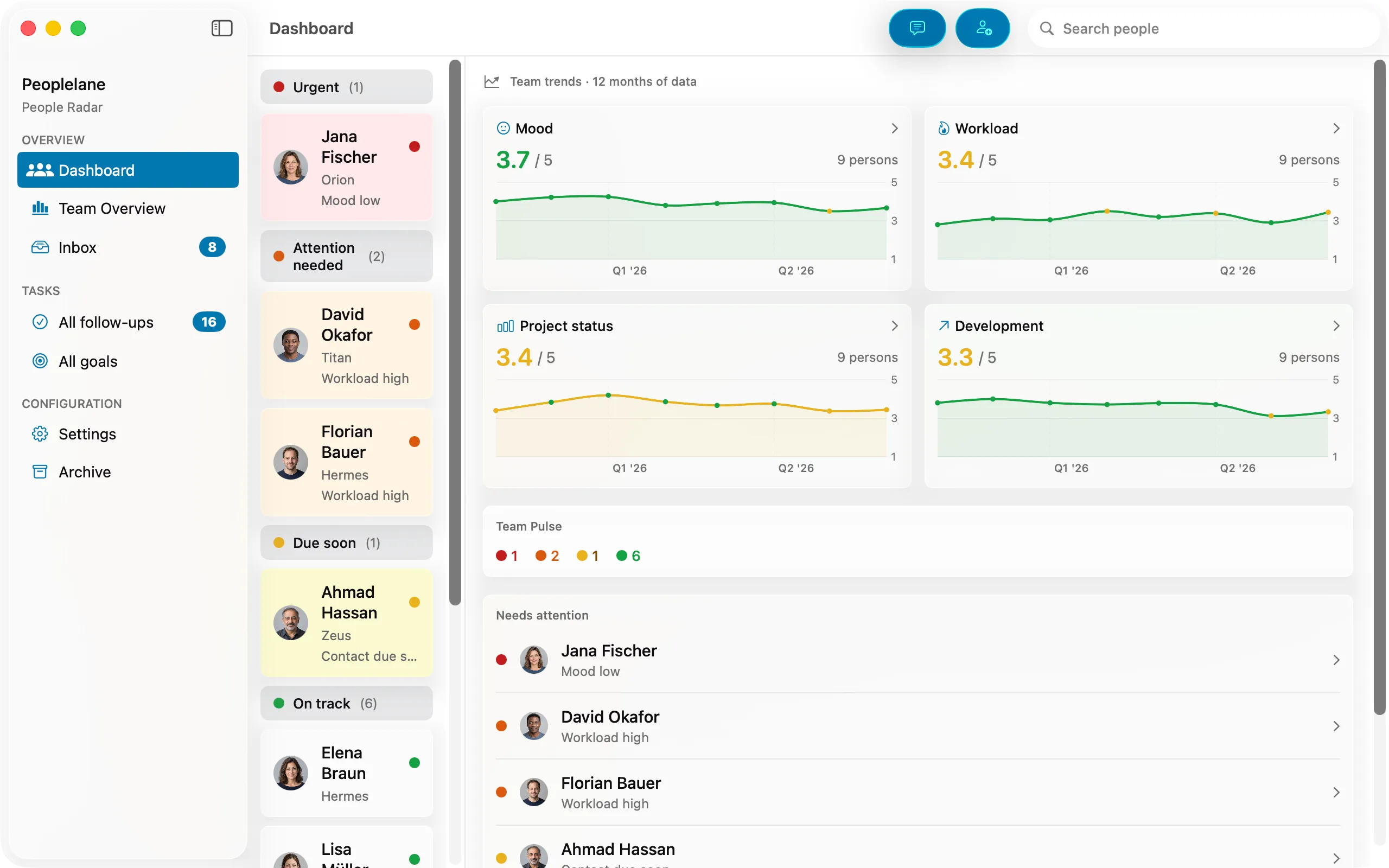
Peoplelane is built for the private people layer described in step 2. Each person has one record with conversation history, open follow-ups with status and due dates, development goals and private context. Free notes capture a conversation in your own words, the inbox shows open follow-ups and reminders across everyone you lead, and on supported Macs Shortcuts, Siri and Spotlight actions can start a free-form note or show due follow-ups. AI that turns a free note into a structured entry is optional and always produces a draft you review.
It is deliberately not a team tool. It does not connect to Jira, Slack or your calendar, has no real-time collaboration and no employer admin view, and stores its workspace on your own Mac. It runs on Macs with macOS 15.6 or later; on-device AI and dictation need Apple silicon. If you need shared agendas, use a shared doc alongside it; if your organisation requires formal records in its HR platform, those stay there. Check your employer’s policy before keeping notes about colleagues outside company systems.
Keep the context for your next 1:1
Peoplelane is a private Mac workspace for conversation history, open follow-ups and development goals.
Notify me at launch