Peoplelane vs Fellow
A private Fellow alternative for 1:1 notes
Fellow records, transcribes and summarises meetings and gives 1:1s shared agendas and action items. Peoplelane is a private, local-first workspace for one leader’s relationship context.
The short answer
Choose Fellow when you want AI recording, transcripts and summaries across many meetings, with agendas shared between manager and report. Choose Peoplelane when local storage, offline work and a private single-leader record are the priority.
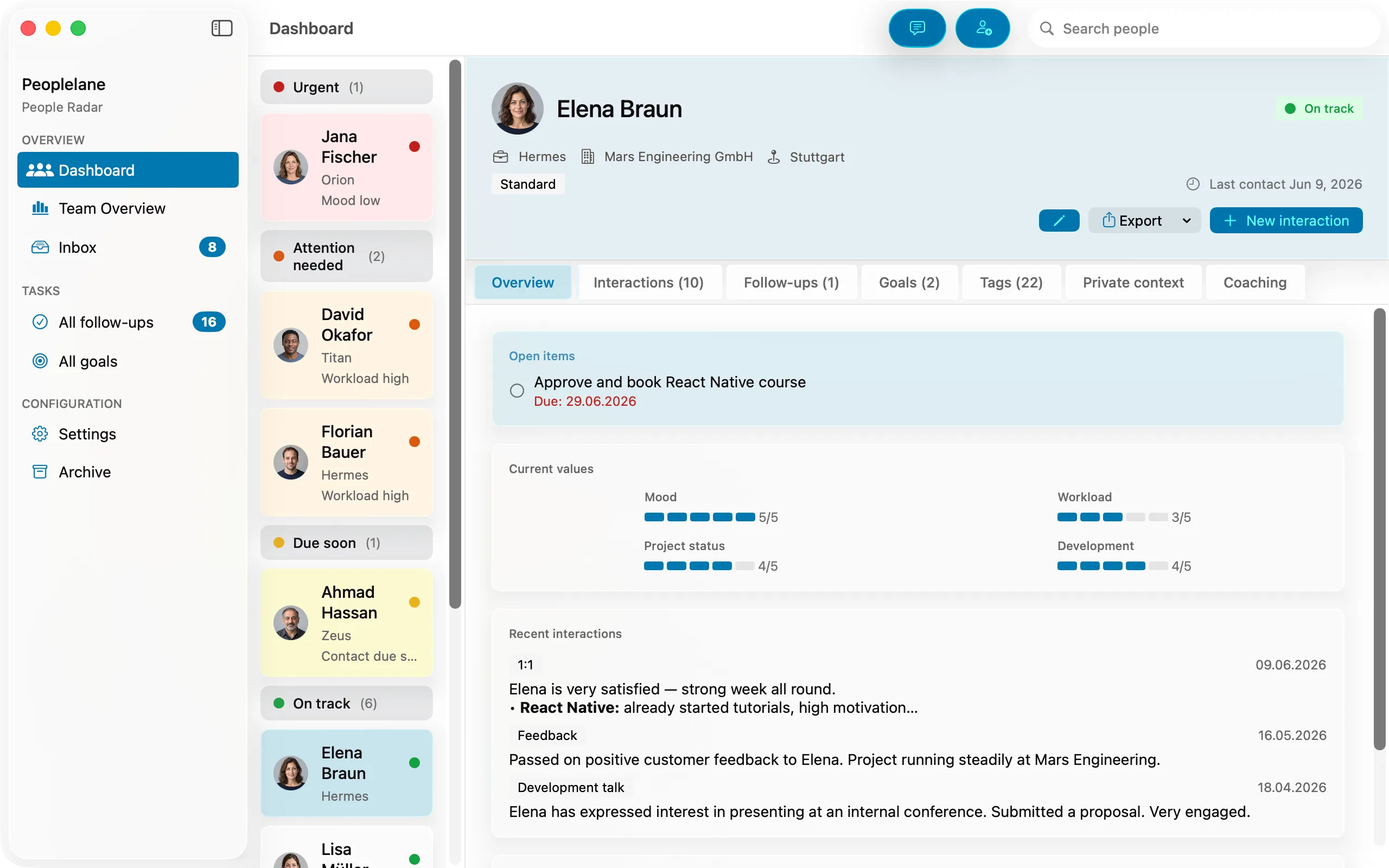
Peoplelane and Fellow compared
Product details were checked against the official sources listed below on 27 October 2026. Prices and capabilities can change.
| Criterion | Fellow | Peoplelane |
|---|---|---|
| Primary purpose | AI meeting notetaker for recording, transcription, summaries and action items across meetings | Private local-first workspace for recurring 1:1 relationships |
| Storage and access | Cloud service; Fellow’s data privacy page names Amazon AWS among its service providers | Workspace stored locally on the user’s Mac |
| 1:1 model | Shared agenda, talking points and action items carried forward; a private notes panel per meeting | Private notes, person history, follow-ups and goals |
| Note visibility | Meeting notes are visible to calendar attendees; private notes only to you and delegates you add; Fellow states workspace administrators have no additional note visibility | No Peoplelane employer dashboard or admin role |
| AI | Optional recording, transcripts, summaries and Ask Fellow over past meetings; private notes are excluded from Ask Fellow; Fellow states its AI is never trained on customer data | Optional: on-device Apple Intelligence on macOS 26 or later, or a configured provider; result reviewed before saving |
| Proactive attention | Suggested talking points and action items carried into the next meeting | Highlights people needing attention, including overdue follow-ups and due syncs |
| Offline use | Fellow’s help centre states its desktop app is not available for offline use | Core notes, search and follow-ups work offline |
| Platforms | Web, Mac and Windows desktop apps, and a mobile app | Mac running macOS 15.6 or later (Apple silicon or Intel) |
| Price checked 27 Oct 2026 | Free plan with 5 lifetime AI notes and recordings per user; Team $7, Business $15, Enterprise $25 per user/month billed annually | Free notes and follow-ups for up to three people. Pro: unlimited people, career models and coaching, CHF 9/month or CHF 90/year incl. any VAT, billed through the App Store; regional prices may vary |
This is an independent comparison, not a claim of partnership or endorsement.
A meeting system versus a person record
Fellow is organised around meetings. It joins or listens to calls, produces transcripts and summaries, and gives each 1:1 a shared agenda with action items carried forward. That suits teams who want one system for many kinds of meetings.
Peoplelane starts with the person. Each conversation sits in a continuous history, while follow-ups and development goals remain visible between meetings. It does not record calls or replace a team’s meeting tooling.
Privacy is a question of model, not a ranking
Fellow documents that private notes are visible only to you and any delegates, that workspace administrators have no additional note visibility, and that Ask Fellow cannot access private notes. Its storage remains a cloud service under your organisation’s account.
Peoplelane keeps the workspace on your Mac and has no employer admin view. Local storage is not a universal exemption from policy: a managed Mac, backups and employment rules still matter, and recording conversations in any tool needs consent and policy approval.
Choose Fellow if ...
- You want meetings recorded, transcribed and summarised, including calls beyond your 1:1s.
- Manager and report should build the agenda and action items together before each meeting.
- You need Mac, Windows, web and mobile access, plus integrations with video and project tools.
- Your organisation wants team plans with administration, provisioning and compliance documentation.
Choose Peoplelane if ...
- You want the primary workspace on your Mac and a core workflow that does not depend on a network connection.
- You need continuity, commitments and development context without a company rollout.
- You want optional AI with a human review step before anything is saved, rather than meeting recording.
- You do not need shared agendas, transcripts or cross-platform access.
Concrete use cases
- A team can keep shared 1:1 agendas and action items in Fellow while the manager keeps private preparation in Peoplelane, subject to company policy.
- A manager who works during travel can use Peoplelane’s local workflow without planning around a service connection; Fellow’s desktop app needs one.
- Before a weekly 1:1, Peoplelane surfaces the latest conversation, open items and goals for that person without searching meeting notes.
When neither is the right fit
- Fellow is not the fit if your policy requires a fully local primary store or the work must continue without a connection.
- Peoplelane is not the fit if you need meeting recording, shared agendas, Windows or mobile access, or a team-wide meeting system.
Official sources
Fellow for one-on-one meetings · Fellow pricing · Fellow help: Private notes · Fellow help: Who can see my meeting notes? · Fellow help: Download the desktop app · Fellow help: Data privacy
Peoplelane details were checked against the current product information and live Peoplelane website. Product information is time-sensitive and should be rechecked before procurement.
Related Peoplelane guides
Peoplelane vs Confab · Peoplelane vs Lattice · How to keep 1:1 notes private · Best 1:1 tools for engineering managers
Decision questions
Is Peoplelane a Fellow alternative?
For private 1:1 notes, yes. Fellow is a connected AI meeting assistant with shared agendas and recording. Peoplelane is local-first and Mac-native, with a deliberately individual workflow and no meeting recording.
Can my admin see my Fellow 1:1 notes?
Fellow’s help centre states that workspace administrators have no additional note visibility and that private notes are visible only to you and delegates you add. Shared meeting notes are visible to attendees on the invite. Check your own workspace settings and Fellow’s current documentation.
Does Fellow work offline?
Fellow’s help centre states that its desktop app works with an internet connection and is not available for offline use. Peoplelane’s core notes, search and follow-ups work offline on your Mac.
A focused workspace for your next 1:1
Not yet available on the Mac App Store. Get an email when it launches.
Notify me at launch